Setup

Get Started with the Burnout Avoidance System

Get Started with the Burnout Avoidance System

A short guide to setting up the system and running your first week.

Setup

Get Started with the Burnout Avoidance System

A short guide to setting up the system and running your first week.

HOW SYSTEM WORKS

See How the System Works

HOW SYSTEM WORKS

See How the System Works

This short demo shows the full weekly flow from daily check-ins to weekly setup.

WHAT YOU NEED

Set Up the System

Follow these steps to get the system running in your Notion workspace.

Follow these steps to get the system running in your Notion workspace.

Follow these steps to get the system running in your Notion workspace.

Step 1: Install Notion

If you don’t already have Notion

Step 2: Add the Template

Open the template and click Duplicate in the top-right corner.
Choose the workspace where you want the system to live.

Step 3: Run Your First Week

Once the template is added, the system runs on a simple weekly cycle:

  • Open the Dashboard

  • Click Start This Week

  • Use Daily Check-In once per day

  • Complete Weekly Review at the end of the week

Step 1: Install Notion

If you don’t already have Notion

Step 2: Add the Template

Open the template and click Duplicate in the top-right corner.
Choose the workspace where you want the system to live.

Step 3: Run Your First Week

Once the template is added, the system runs on a simple weekly cycle:

  • Open the Dashboard

  • Click Start This Week

  • Use Daily Check-In once per day

  • Complete Weekly Review at the end of the week

WHAT YOU NEED

Navigating the System

The system is designed to be simple and repeatable.
You’ll return to the same few pages each week, in the same order.

WHAT YOU NEED

Navigating the System

The system is designed to be simple and repeatable.
You’ll return to the same few pages each week, in the same order.

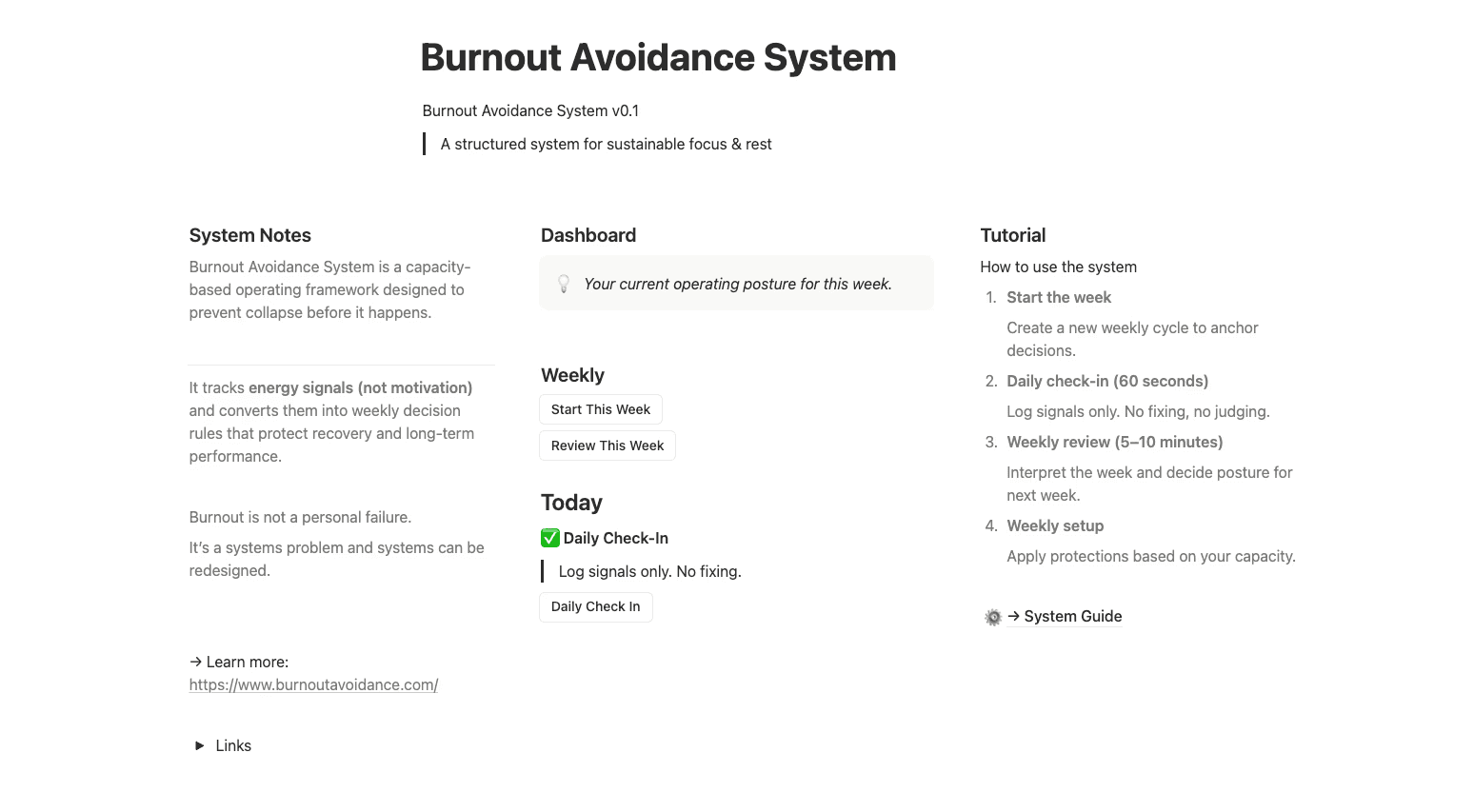
Dashboard
Your weekly control centre.

This is where everything starts and ends. From the Dashboard you:

  • start a new week

  • complete daily check-ins

  • access your weekly review

  • see your current operating posture

Daily Check-In
Log signals only.

Daily Check-Ins take about 60 seconds.
You are not fixing problems here only recording signals.

This information feeds into your Weekly Review.

Weekly Review
Interpret the week that just ended.
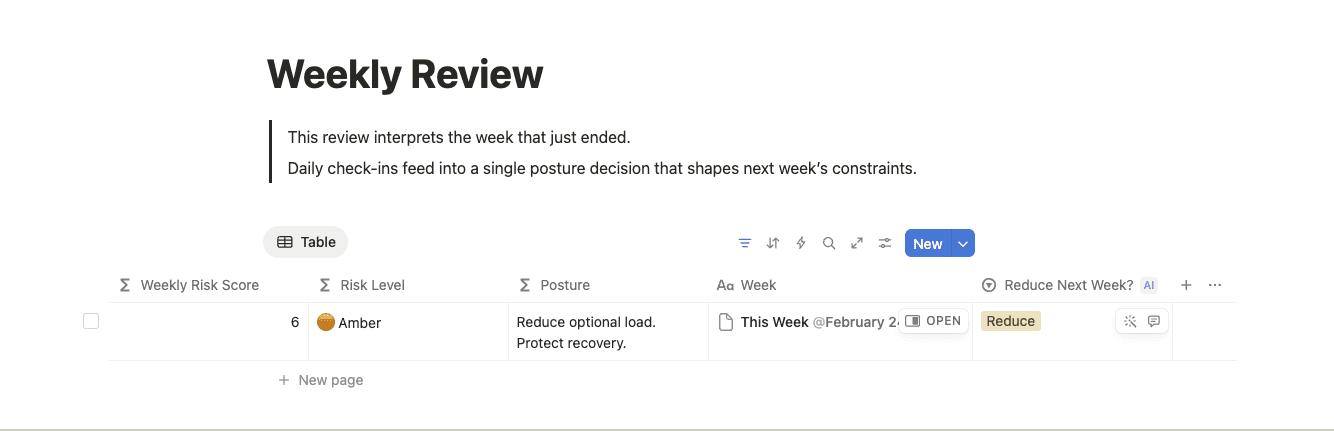
Daily signals are interpreted together to identify patterns and decide your posture for the coming week.
This is where reflection happens not during the day.

Ready to detect burnout?

If you're looking to save time and focus on what really matters.

© 2025. All rights reserved.

Ready to detect burnout?

If you're looking to save time and focus on what really matters.

© 2025. All rights reserved.

Create a free website with Framer, the website builder loved by startups, designers and agencies.